For sauna operators
Booking software for mobile and wood-fired saunas
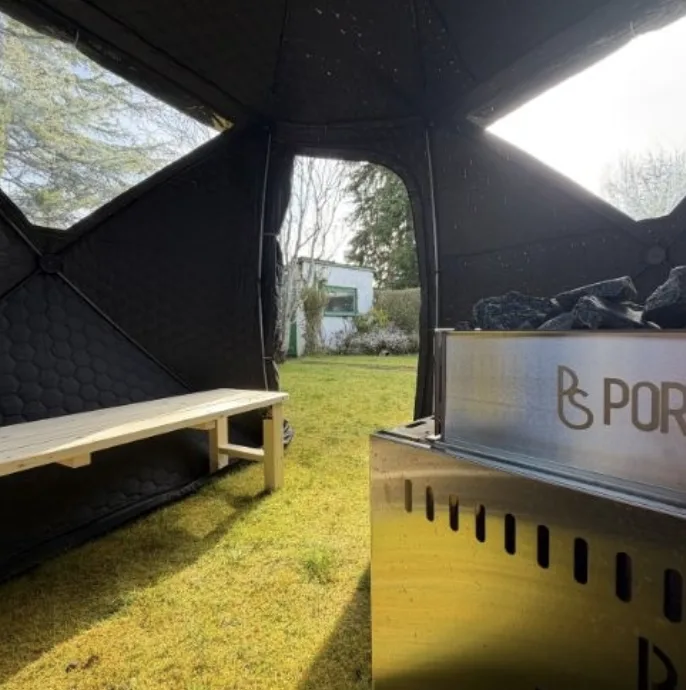

Your day is a run of sessions, so book it that way
Pencilled is built for open sessions, where strangers share a bench.
Many mobile saunas run short sessions back to back: a time on the bench, a gap to clear out and top up the stove, then the next group. Capacity is the number of places on the bench, and it is the one number you cannot stretch.
In Pencilled each session has its own start time, end time, capacity and price per person. Customers choose a session, say how many are coming (up to four in one booking) and pay. The page shows how many places are left, so people can see a session filling up.
If your bench takes eight, set the capacity to eight. When the last place goes, the session shows as sold out and customers can join a waitlist for it.
Build a weekend of sessions in one form
Typing in forty sessions by hand is how bookings get delayed.
The generator asks for a start date and an end date, your opening and closing times, the length of each session, the gap between them, the capacity and the price. It creates every session that fits in each day.
Open at 09:00 and close at 17:00 with 20-minute sessions and a 10-minute gap, and you get a session at 09:00, 09:30, 10:00 and so on until the next one would run past closing time. Start times that already exist are skipped, so running it twice does not double up.
Need a lunch break, or a different price for the sunset session? Edit or delete individual sessions afterwards, or close one to stop it taking bookings without deleting it.
Places are held while customers pay
The last place is held for whoever starts paying first.
When someone starts to pay, their places are held on that session for 15 minutes. If they pay, the booking is confirmed. If they close the tab or the time runs out, the places are released and the next person on the waitlist for that session is emailed.
The waitlist is first come, first served. The email tells people a place has opened up. It does not hold it, so whoever books first gets it.
- 1
Someone starts to pay
2 of 8 places are held. 6 show as left.
- 2
They pay within 15 minutes
The booking is confirmed and the ticket is emailed.
- 3
Or they do not
The 2 places go back on the session and the waitlist is emailed.
Ask about health before people get on the bench
Heat is not right for everyone, and you may want that on record.
You write the questions yourself, so the form asks what your own safety briefing needs. Each person in a booking gets their own link to complete it, in their confirmation email and on their ticket, and you can see at check-in how many forms are done.
Answers can include health information. They are kept until you delete them, and each event has a delete all action for when it is over. The privacy policy has the detail.
On the day, check people in rather than chasing them
Tickets, a check-in list, and a way to take someone who turns up without a booking.
Every confirmed booking gets an email with a reference, a ticket page with a QR code and a calendar file. When you are signed in as the operator, the ticket page has a check-in button. The check-in screen lists everyone booked into a session, so you can tick people off by name when someone has lost their phone.
If someone turns up without a booking, take it from the tablet: name, how many people and how they paid, which is cash, card on your own reader, or no charge. It works without a signal and sends when the connection returns.
Stove will not light? Cancel the bookings or refund them from the bookings screen. Card payments are returned through Stripe.
Promo codes for the regulars, vouchers for gifts
Two ways to discount, kept separate.
Promo codes take a percentage or a fixed amount off, with a cap on uses and an expiry date if you want them. Gift vouchers are sold from your page in amounts from £10 to £200, valid for 12 months, and spent at checkout with any remainder paid by card.
More from Pencilled
- Ice bathsShort dips, small tubs and a health declaration before anyone gets in.
- WorkshopsSell places by the session and collect what you need to know before people arrive.
- FeaturesWhat Pencilled does, from bulk session schedules to check-in, and how each part behaves.
- FAQStraight answers on fees, payouts, refunds, health forms and embedding.
Pitching up soon?
Set up your account, build your sessions and share your booking link before you light the stove.
Free to set up. 5% platform fee on card payments.